VoxAI
A meeting copilot that gives your own AI ears and a voice: live on-device transcription that knows who is speaking, suggestions pushed into the meeting window, and spoken replies.
On sale as a direct download. On the Mac App Store and the iOS App Store.
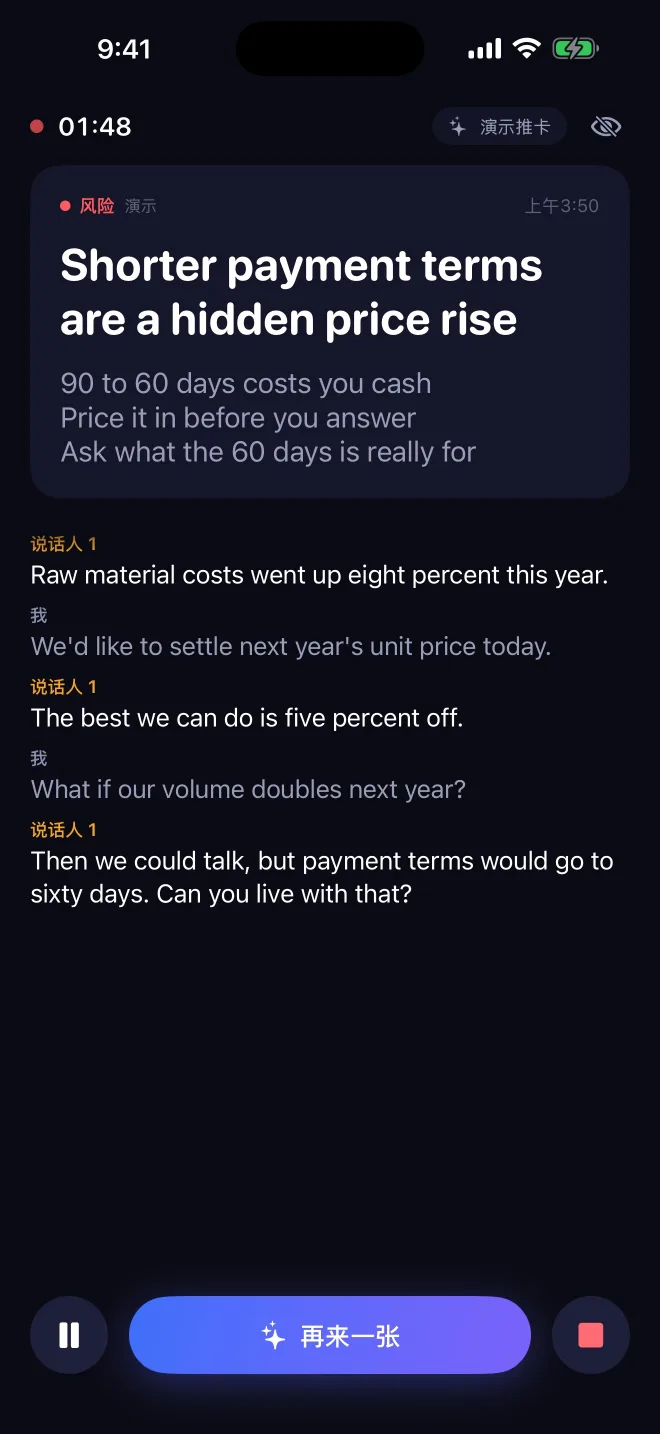
Transcription tools hand you a document after the meeting. The moment you needed help was during it.
Stop building a transcriber. Put the user’s own AI in the room: it hears the meeting live through a local server and answers with cards or with its voice.
Three products shipped under one name: the macOS copilot, from kickoff to public sale in three and a half months; a Mac App Store edition, from kickoff to the store in eight days; and an iPhone app. All on sale or in the stores today.
- 3
- products shipped under one name
- 8 days
- kickoff to the Mac App Store
- 3 days
- to build the whole payment and licensing chain
- 3–5×
- fewer tokens per hour-long meeting
- 0.12%
- CPU for live speaker separation
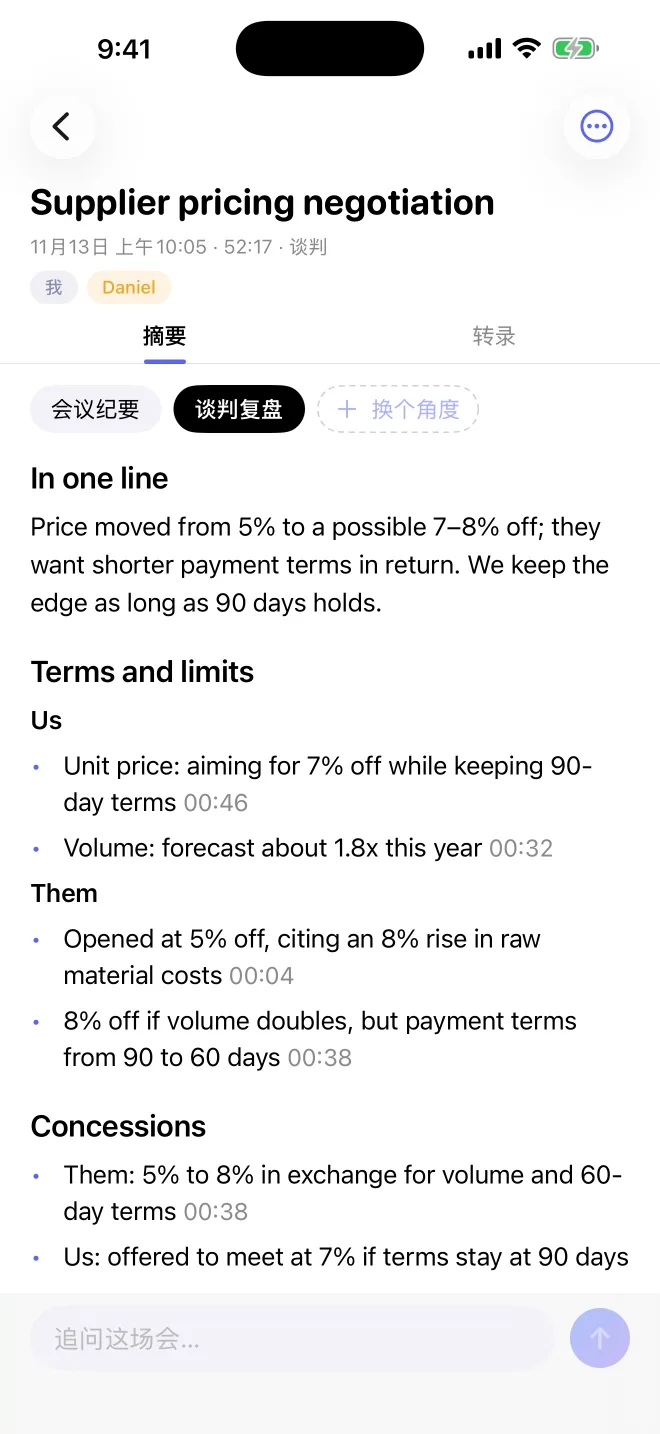
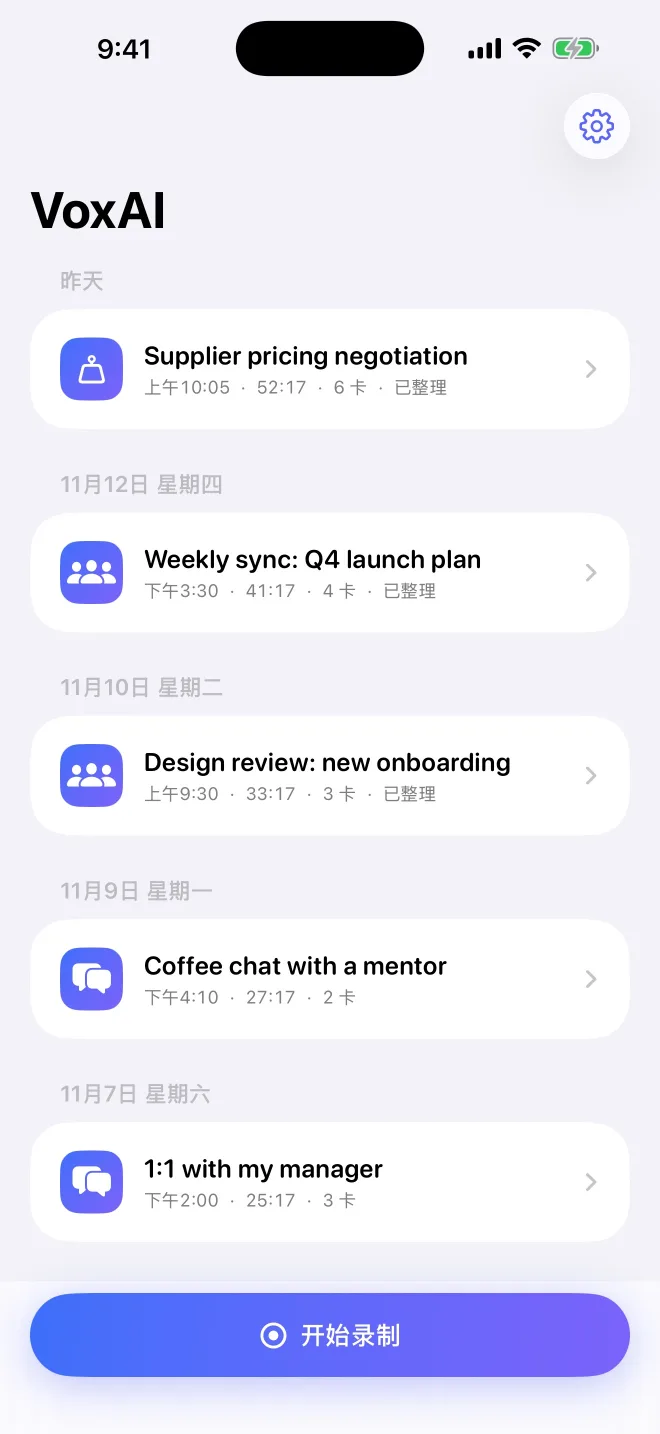
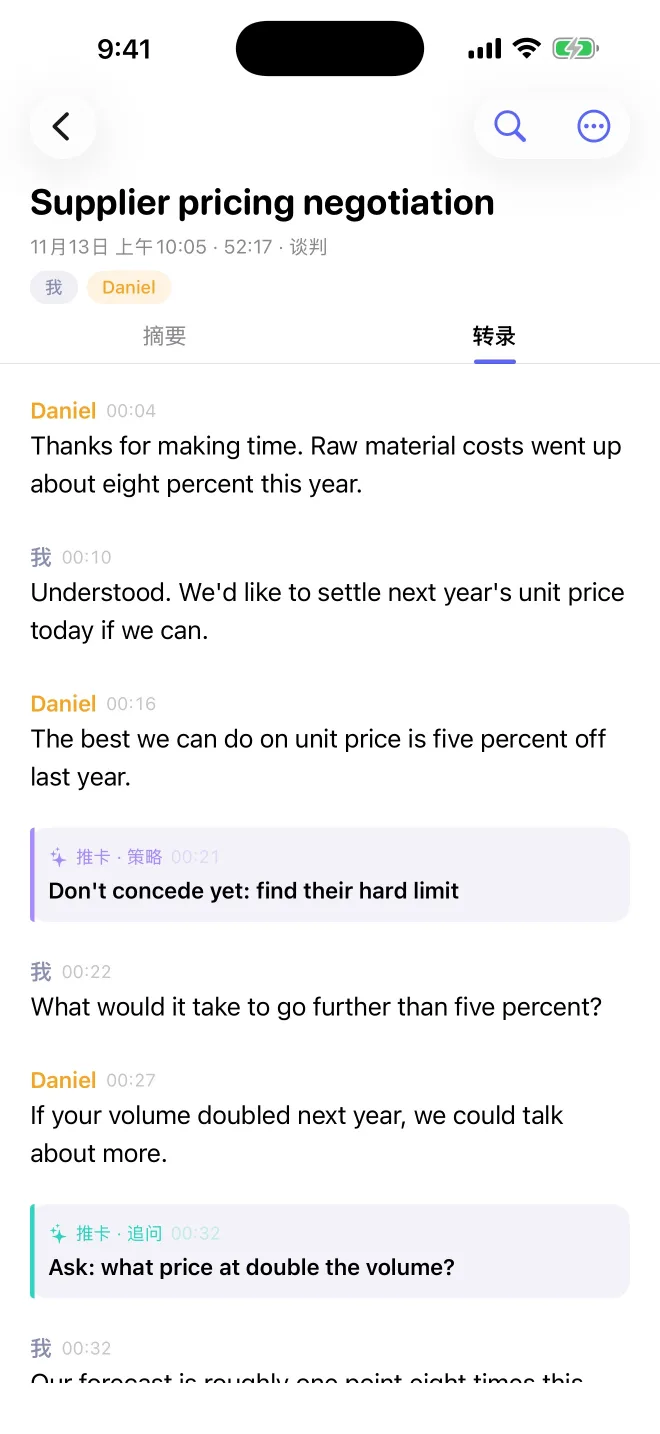
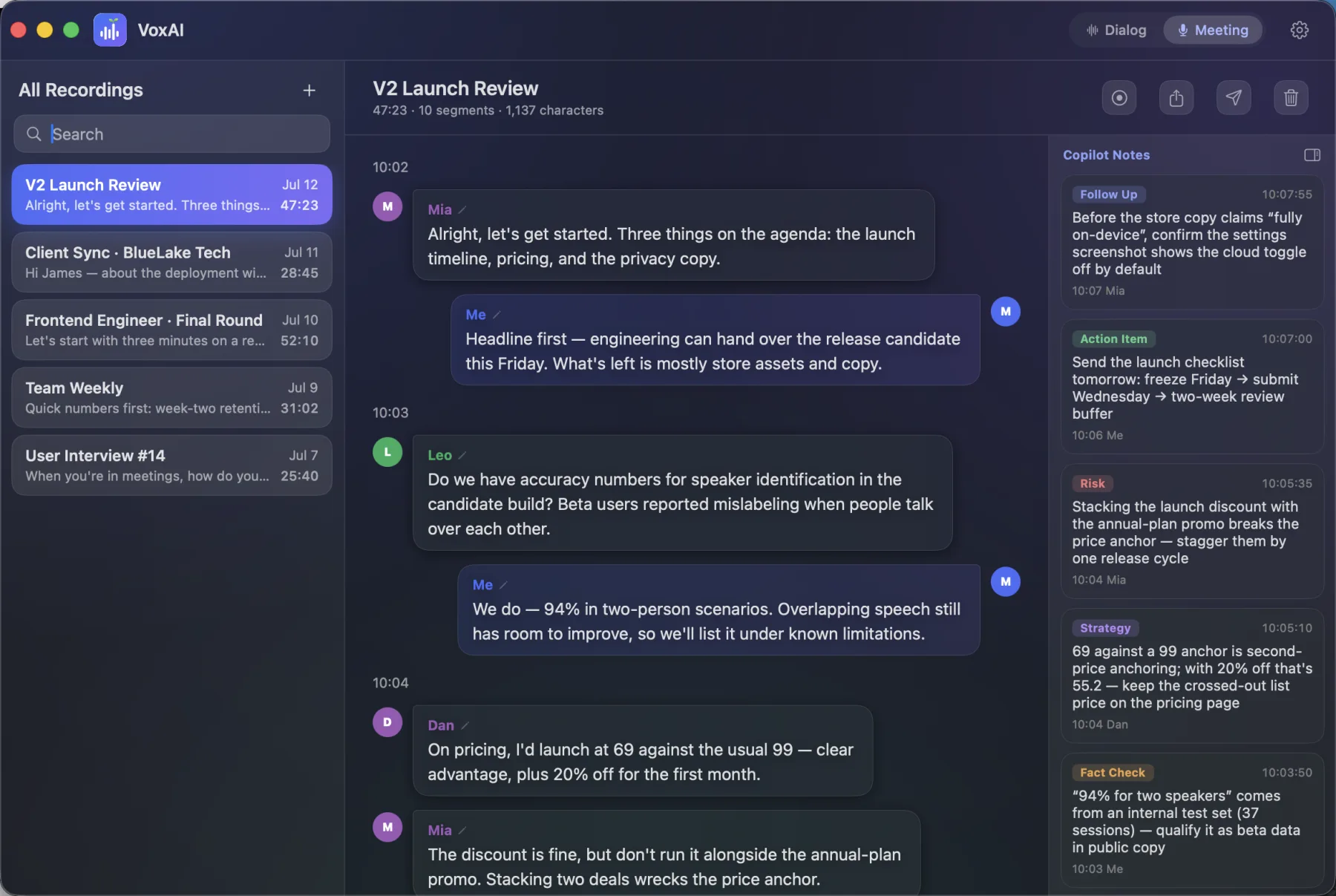
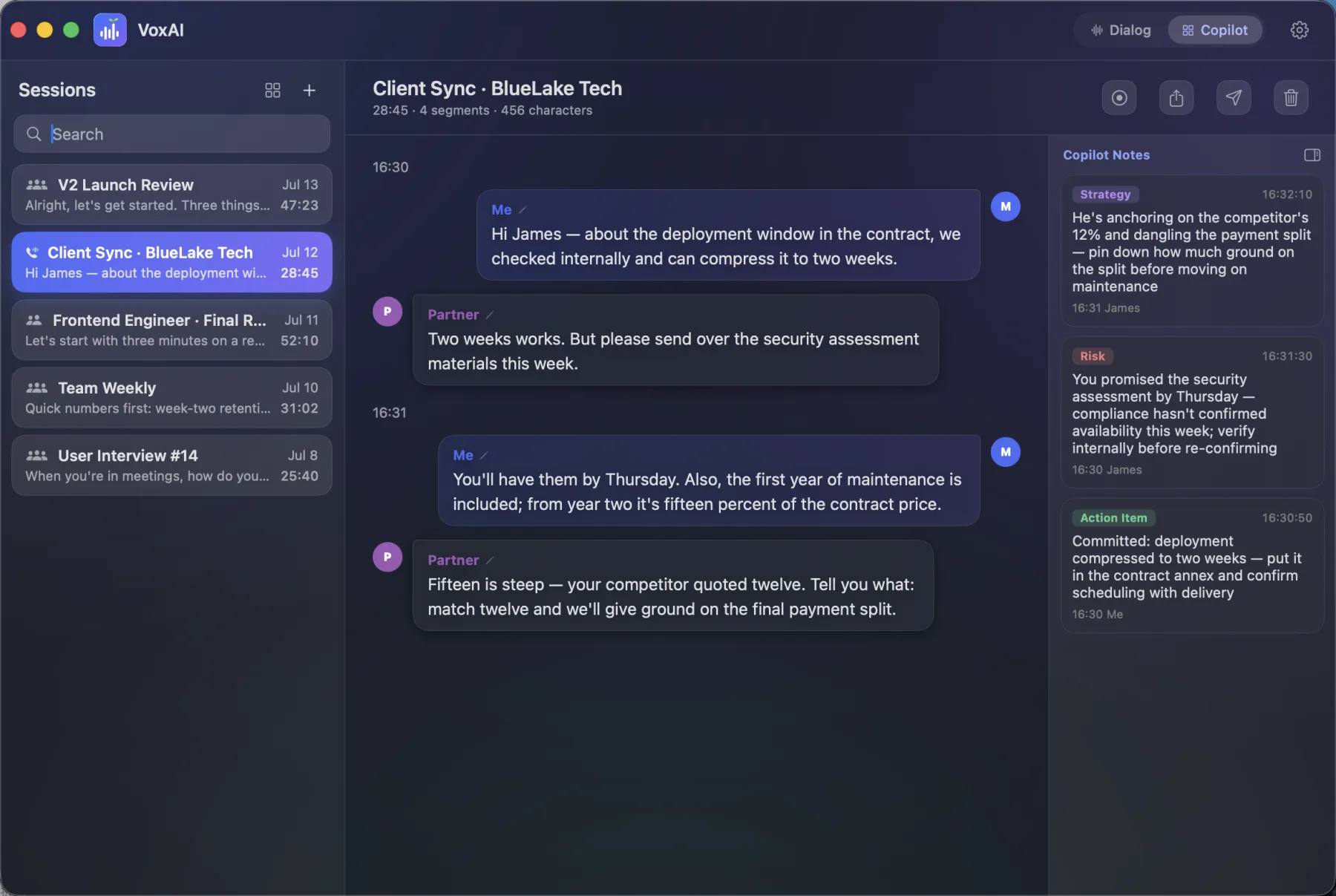
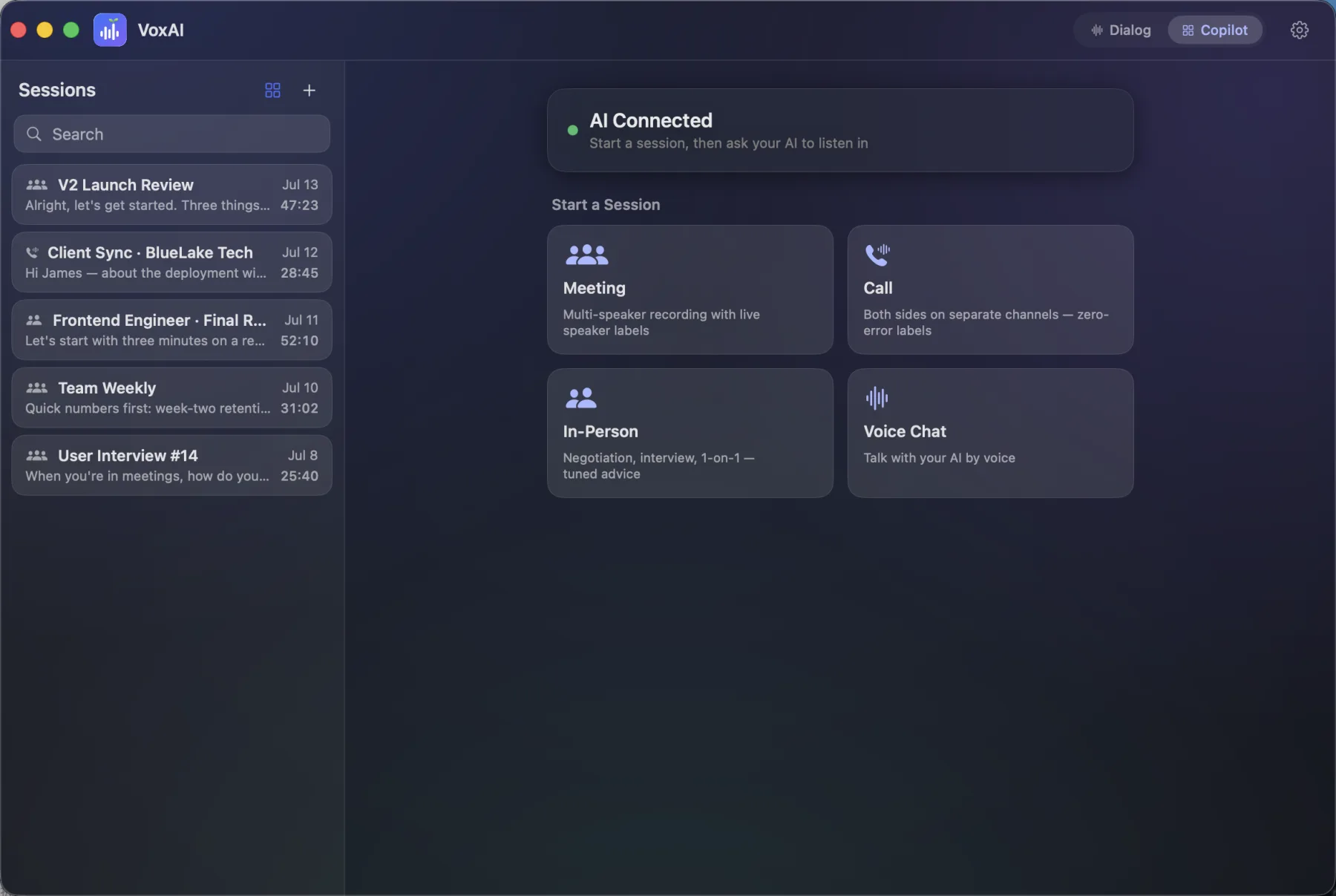
Real screens from the shipping apps, with sample conversations: the iPhone app first, then the Mac copilot. The iPhone app’s interface is in Chinese; it transcribes Chinese and English.
From a tool to a presence
It began as a transcription tool. Three months in I changed the question from “what did they say” to “who is in the room with me”. Eleven days after that pivot an AI sat through a 25-minute multi-person meeting from start to finish.
Not worse, or it does not ship
Every model swap has one rule. When I replaced the refinement model I ran four engines over three real meetings. With no labeled ground truth, I compared them pairwise by character error rate and by reading the output. That is how I found one engine hallucinating repeated lines, and another looping forever unless the audio was cut at pauses first.
Put the trade on the table
Moving live speaker separation onto the Neural Engine cut its CPU use to 0.12%. Measured against the offline whole-meeting pass, it cost about eight points of agreement. I took the trade for battery and heat, and added a fallback: above four speakers the app re-runs the whole session, which brought agreement on the test meeting back to 86.9%.
Reverse yourself when the evidence moves
I cut the store build down to dictation only for its first release. Ten weeks later I overturned that decision and ported the full copilot into the sandboxed build.
Measure the trial, not the download
I mapped the journey as a five-stage funnel, ran three experiments in a row on the trial model, and made trial completion the one number the product is steered by.
Let the user’s AI do the setup
Connecting an AI to a local server is the step where people give up. I turned onboarding around: the user tells their AI to connect, and the AI does the configuration.
One constraint, three architectures
A sandboxed App Store app cannot ship a helper that an outside process is allowed to launch, and the user’s AI client is an outside process. So the direct build is notarized and keeps the Python ML engine. The store build is pure Swift inside the sandbox. And the server the AI talks to was rewritten in Swift, ships outside the store, and exchanges data through files in the app’s container.
Speaker identity without a speaker model
On a call, the microphone is me and system audio is them. Recording the two channels separately makes the hardest part of diarization disappear. In-room meetings use on-device separation on the Neural Engine.
An interface designed for an AI
Seventeen tools in the public companion server, and no network port: the app and the AI exchange data through atomically written files. A blocking wait returns within about half a second of new speech, so the AI itself never polls. Reshaping what that wait returns took an hour-long meeting from 500–800k tokens down to roughly 150k.
Everything runs on the device
In the direct edition, transcription, speaker separation and speech synthesis all run locally on Apple silicon. The meeting never leaves the laptop.
A commercial chain in three days
Notarized direct distribution, in-app auto-update, offline license activation signed with Ed25519, and Stripe wired to a Cloudflare Worker. From payment to license code takes seconds and no manual step.
Notarization that failed silently
A flaky timestamp service left 89 embedded libraries unsigned, and the build script reported success. Signing is now per file with retries, and every embedded binary is verified before a release goes out.
Heat
A meeting app that warms the laptop gets quit. Main-thread CPU went from 30.6% to 9.6%.
Everything: product, the macOS and iOS apps, the local ML pipeline, the MCP server, notarization, licensing and payment, both store submissions.
- Swift
- SwiftUI
- ScreenCaptureKit
- AVAudioEngine
- Core ML · Neural Engine
- Python
- MCP
- StoreKit
- Stripe
- Cloudflare Workers
- Ed25519 licensing
- Developer ID notarization